Basement leaks often go unnoticed because water travels to the lowest point of the floor, away from regular foot traffic, and can spread under flooring and into wall cavities before anyone sees it. A dedicated water leak sensor is worth installing when the basement contains water-using equipment, finished living space, or stored belongings, and when nobody checks the floor every day.
Why basements need a leak sensor
How water moves across a basement floor
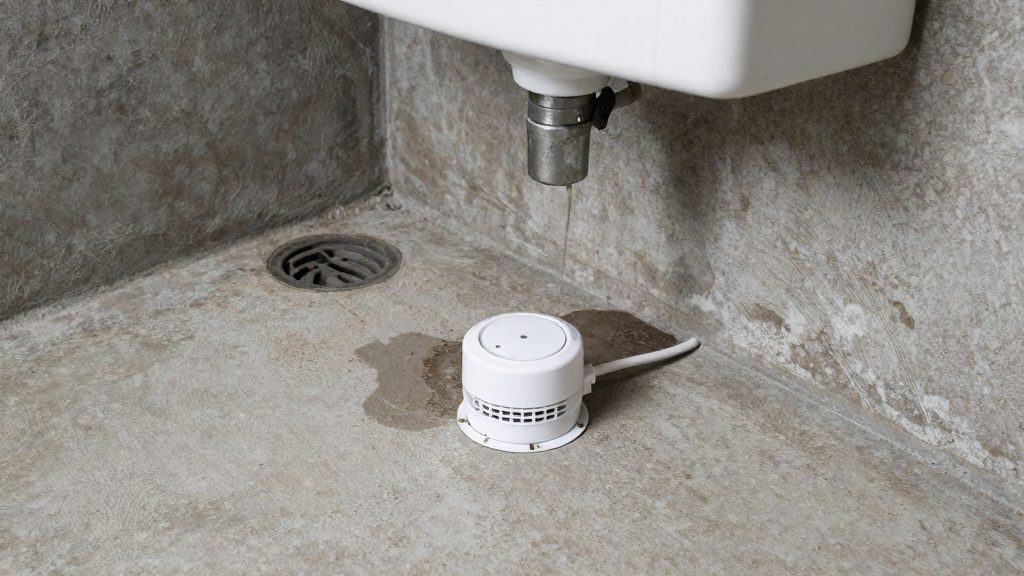
Water follows gravity and collects where the floor is lowest: near a floor drain, a sump pit, a corner, or the base of a wall. A slow drip from a fitting can therefore pool in a spot that is out of sight, while the rest of the floor stays dry. Because the leak is small and localised, it can run for days or weeks before anyone notices a change in the room.
Undetected leaks in finished basements and storage areas
Finished basements hide water well. Carpet, underlay and drywall absorb moisture and wick it along the floor, so the visible surface may look normal while the damage is spreading underneath. Storage areas create a similar problem: water collects under boxes, shelving and stored furniture, and the first sign is often a musty smell or warped material. A sensor placed at the low point of the floor detects the water before it reaches these hidden layers.
Common sources in basements
| Source | Why the leak is easy to miss |
|---|---|
| Water heater | Drips from the tank drain valve or the pressure relief valve discharge pipe can run onto the floor beneath the unit. |
| Furnace condensate line | Condensate from a high-efficiency furnace drains through a small pipe; a blocked drain line can overflow onto the floor. |
| Plumbing joints | Seepage at supply line connections and pipe joints can run along the pipe or into the framing without dripping visibly. |
Risk profile that justifies a dedicated sensor
A dedicated sensor is most useful where three conditions meet: water-using equipment sits on or near the floor, the room has finished surfaces or stored items that water would damage, and the house is often unoccupied or the basement is rarely visited. Remote notification matters in that last case. The Basement Watchdog BWD-HWA, listed by Bob Vila (2026-09-01), is audible-only and has no connectivity, so it sends no phone alerts; a basement sensor that reaches your phone only works if it has a connection to your home system. Check the connectivity specification on the packaging before buying.
Wi-Fi, hub or Thread: which connection works?
A basement leak sensor reaches your phone through one of three paths: a direct Wi-Fi link to the router, a proprietary long-range radio tied to a hub, or a Thread connection managed by a HomeKit home hub. Each path has different requirements for remote alerts. According to Bob Vila (2026-09-01), the YoLink Water Leak Sensor & Hub Kit uses long-range radio rather than Wi-Fi, and its hub is hardwired to the router. The hub, not the sensor, carries alerts to your phone.
Wi-Fi direct sensors join the home router without a separate hub, which simplifies setup. Their remote alerts depend on the router’s internet connection and on Wi-Fi reaching the basement. The Kidde 60WLDR-W treats Wi-Fi as optional, so basement Wi-Fi coverage matters only if you use the Wi-Fi alerts. Bob Vila (2026-09-01) reports that it sends leak and freeze alerts through an app.
Proprietary long-range radio systems add a hub that connects to your router by cable. The YoLink kit uses this design and sends alerts as app notifications, texts and email.
Thread works differently. The Eve Water Guard works with HomeKit over Bluetooth or Thread and requires an iOS device. For remote alerts, it needs an Apple TV or HomePod acting as a home hub. Bob Vila (2026-09-01) notes that it has no cloud subscription.
| Connection path | Example | What remote alerts require |
|---|---|---|
| Wi-Fi direct to router | Kidde 60WLDR-W (Wi-Fi optional) | Wi-Fi coverage in the basement and the manufacturer’s app |
| Proprietary long-range radio | YoLink Water Leak Sensor & Hub Kit | Hub hardwired to the router; app, text or email alerts |
| Thread via HomeKit | Eve Water Guard | iOS device plus an Apple TV or HomePod as home hub |
Check the manufacturer’s documentation for the SwitchBot sensor’s radio type before assuming which path it uses.
Do you need a siren as well as phone alerts?
An audible alarm adds value when a leak could go unnoticed by the people in the house. A silent phone notification only helps if someone is awake, close to the phone and looking at it. A siren reaches everyone within earshot, including people asleep or in another room. According to Bob Vila (2026), the three devices below differ widely in both their audible output and their alert capability.
| Model | Alarm | Battery | Phone alerts |
|---|---|---|---|
| SwitchBot water leak sensor | 80 dB | 2 AAA | Yes, app notifications |
| Kidde 60WLDR-W | 95 dB | 2 AA | Yes, through an app (Wi-Fi optional) |
| Basement Watchdog BWD-HWA | 100 dB | 9-volt | No |
The decibel rating is the main way to compare these alarms. The Basement Watchdog BWD-HWA is the loudest at 100 dB, but it only helps if someone is within hearing range. The SwitchBot sensor is the quietest at 80 dB, but it combines an audible alarm with phone notifications, which covers both situations. The Kidde 60WLDR-W sits between them at 95 dB and also sends app alerts.
The YoLink Water Leak Sensor & Hub Kit, named the upgrade pick by Bob Vila (2026), has no siren, so nothing sounds in the basement itself.
Battery type affects replacement planning rather than the alarm itself. The SwitchBot sensor takes 2 AAA cells, the Kidde takes 2 AA, and the BWD-HWA takes a single 9-volt battery. These types are not interchangeable, so confirm the approved battery in the manufacturer’s manual before buying spares.
Which sensors send alerts when you’re away?
Not every basement leak sensor can reach your phone when you’re out of the house. The models below use different remote alert channels, and one has none. Check which channel a sensor uses before relying on it for a basement that may flood while you’re away.
| Sensor | Remote alert channels | Requirement or limit |
|---|---|---|
| SwitchBot leak sensor | App notifications and email | Integrates with Alexa, Google Home and Siri |
| YoLink Water Leak Sensor & Hub Kit | App notifications, texts and email | Kit has no siren, so alerts are remote only |
| Kidde 60WLDR-W | Leak and freeze alerts through an app | Wi-Fi is optional on this model |
| Eve Water Guard | Remote alerts through an Apple TV or HomePod | Needs an iOS device; remote alerts depend on the Apple home hub |
| Basement Watchdog BWD-HWA | None | No connectivity, so no phone alerts |
The YoLink kit offers the widest range of remote channels, with app notifications, texts and email. The SwitchBot sensor covers app notifications and email. Its integration with Alexa, Google Home and Siri should be tested separately: open the SwitchBot app’s integration settings to see which events each assistant can access, then trigger a real leak event to confirm whether an assistant announces it.
For routine triggers, the goal is to connect a leak event to an action such as a notification, a light change or a message to another household member. Build the routine in the app that controls the sensor, then confirm the assistant can run it. Any routine that depends on a voice assistant should be tested with a real sensor event, because an assistant link can fail silently after an account or app update.
Before you leave home, confirm in the app that the sensor is connected and that notifications are enabled on your phone. Also check that the email address or phone number in your account is the one you want receiving alerts.
Is there a subscription fee?
Not every basement water leak sensor with phone alerts carries a recurring charge, and the answer depends on the specific model. According to Bob Vila (2026-09-01), the Eve Water Guard has no cloud subscription. It has no cloud subscription, so there is no monthly or annual plan. Remote alerts do still require an Apple TV or HomePod acting as a home hub. For other models, the price on the shelf does not show whether alerts depend on a paid service, so the policy has to be confirmed with the manufacturer before buying.
Recurring fees versus one-time hardware cost
A leak sensor purchase usually has two cost layers:
- One-time hardware cost: the sensor itself, plus any bridge or hub the model requires.
- Recurring fee: a cloud or service plan billed monthly or yearly, if the vendor offers one.
Comparing only the sticker price can be misleading. A cheaper sensor with a paid plan can cost more over two or three years than a pricier unit with free app alerts. A low-cost unit with no connectivity has no service fee, but it also sends no phone alerts.
Checking manufacturer pricing pages before purchase
Plan terms and feature tiers can change after a product launches, so verify them on the manufacturer’s pricing or support page before ordering. Check these points:
- Whether app notifications, email or text alerts are included free or tied to a plan.
- Whether an event history or leak log requires a paid tier.
- Whether the sensor works after the app or cloud account is removed.
- Regional pricing, since plans can differ by country.
Where to place sensors in a basement
Water runs downhill and collects in the lowest part of a floor before it spreads, so the low point is the most important placement target. In many basements, that low point is near the sump pit, a floor drain, or the corner farthest from the stairs. A sensor there detects water that travels across the floor, but it can miss a leak that stays out of its path. Sensors placed only beside the water heater or washing machine can miss water that travels across the slab first.
Mapping hazard zones
Sketch the basement floor with the stairs, drains, sump location and every appliance or plumbing run. Then mark three zones:
- Water sources: water heater, washing machine, utility sink, supply lines and any condensate line.
- Low points: the spots where the floor slopes converge, including the base of the sump pit and floor drains.
- Wall bases: the lower edge of exterior walls, where seepage and condensation tend to appear first.
Place at least one sensor in each low point. If water sources are spread across the room, add one sensor per source rather than relying on a single unit.
Probe orientation and floor clearance
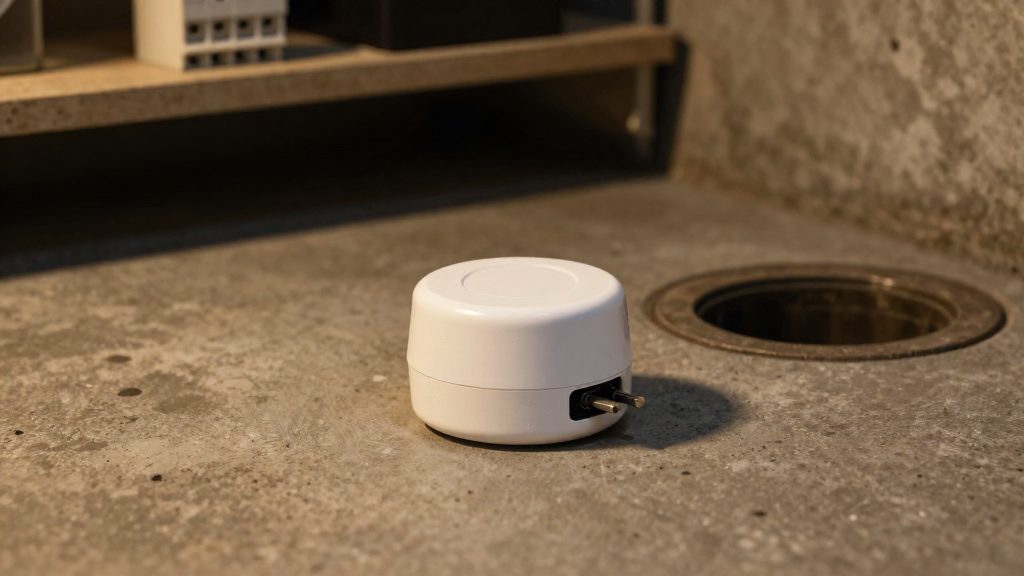
Most leak sensors detect water through two exposed metal contacts at their base, so the contacts must sit at floor level. Lay the sensor flat so the contacts touch the floor surface. Avoid placing it on a box, pallet, shelf or bracket, because water may pass beneath the contacts without triggering the alarm. Clear dust, debris and paint from the contacts before mounting. Keep rugs, cardboard and stored items away from the sensor, since they can absorb or block water. Check the manufacturer’s instructions for the exact probe design of your model.
Mounting on concrete and wood floors
| Floor type | Placement approach |
|---|---|
| Concrete slab | Mount directly on the clean, dry slab using the adhesive or removable mount supplied with the sensor. |
| Wood subfloor | Place the sensor on the finished surface at each low point. Water can seep between boards and pool beneath, so check for gaps and inspect the area underneath where access allows. |
| Painted or sealed surface | Clean and degrease before applying adhesive. Adhesive may not hold on glossy or sealed finishes, so use a removable mount if the manufacturer recommends one. |
Matching alarm loudness to location
Place every sensor at a low point or beside a water source, whatever its type. An audible-only sensor may not be heard upstairs, so a model with phone alerts suits a basement that is rarely visited.
What about freeze alerts and sump pumps?
A water leak sensor reacts to liquid bridging its contact points, so it reports water that has already reached the floor. Freeze detection is a separate function, and some models add it. Bob Vila (2026-09-01) names the Kidde 60WLDR-W as its best pick for freeze detection. According to the same roundup, it uses 2 AA batteries and Wi-Fi is optional.
Because Wi-Fi is optional, check the manufacturer’s instructions to confirm which app alerts need a network connection and which work without one. Then check the app settings to see whether freeze and leak events arrive as separate notifications. Separate alerts make it easier to tell a burst pipe from a freezing event that has not yet caused damage.
The roundup does not give a temperature threshold for the Kidde 60WLDR-W. Before relying on it in a cold-weather plan, look up its freeze trigger point in the manufacturer’s documentation. Place the unit where pipes run, such as near exterior walls or in unheated corners of the basement, and test it by confirming that an alert reaches your phone.
Sump pump monitoring
A sump pit sensor placed on the basin floor detects water rising to its contact points. This catches one failure mode: water accumulating faster than the pump removes it. It does not confirm that the pump motor is running, the float switch is moving, or the discharge line is clear. To cover those signals, check the pump’s float and discharge directly, or use a dedicated pump monitor.
Troubleshooting missed alerts
A missed leak alert usually traces back to one of three points: the hub has lost its network link, the phone is blocking the notification, or the sensor’s battery has failed without a clear warning. Work through these in order, because the checks depend on how each sensor connects. Bob Vila’s roundup (2026-09-01) shows how much connectivity varies: the YoLink kit relies on a hardwired hub, and the SwitchBot and Kidde models can send app alerts.
Step 1: Confirm the hub is online
Hub-based sensors stop sending alerts when the hub loses its connection, even though the sensor still detects water. The YoLink Water Leak Sensor & Hub Kit uses long-range radio rather than Wi-Fi, and its hub is hardwired to the router, so start with the hub’s ethernet cable, its power supply, and its online status in the app. If the hub is offline, nothing reaches the phone until the link is restored.
Step 2: Check notification permissions
Alerts can arrive at the hub and still never appear on the phone. Check each of these:
- iOS: Open Settings, select the sensor’s app, and confirm that notifications are allowed. Make sure Focus modes are not silencing that app.
- Android: Open the app’s notification settings and confirm that the leak-alert channel is enabled and not muted. Check that battery optimization is not restricting the app from running in the background.
- Both platforms: Confirm the app is signed in to the same account that owns the sensor.
Step 3: Rule out battery failures
Battery-powered sensors can stop reporting with little warning. Compare the battery type in each model against what is installed:
| Model | Power source | Check for |
|---|---|---|
| SwitchBot sensor | 2 AAA batteries | Low-battery warning in the app; replace both cells |
| Kidde 60WLDR-W | 2 AA batteries | Freeze and leak alerts stop if cells are depleted |
| Basement Watchdog BWD-HWA | 9-volt battery | No phone alerts exist to warn you; test the alarm manually |
| Eve Water Guard | Check the manual for the battery type | Check the app’s device status for a connection fault |
Replace batteries with the type named in the manufacturer’s instructions, and avoid mixing old and new cells in the same pack.
Frequently asked questions
Which basement leak sensor should I buy if I want alerts on my phone?
The YoLink Water Leak Sensor & Hub Kit sends app notifications, texts and email over long-range radio, with the hub hardwired to your router, but it has no siren. If nobody regularly sees phone alerts, choose a model that combines a siren with phone alerts, such as the SwitchBot sensor (80 dB, 2 AAA batteries) or the Kidde 60WLDR-W (95 dB, 2 AA batteries), according to Bob Vila (2026).
Do I need Apple hardware or a subscription for remote alerts?
The Eve Water Guard has no cloud subscription, so there is no recurring fee. Its remote alerts do require an iOS device and an Apple TV or HomePod acting as a home hub, according to Bob Vila (2026). The Kidde 60WLDR-W treats Wi-Fi as an optional connection, so basement Wi-Fi coverage matters only if you choose to use it.
Will an audible-only sensor wake me if I’m upstairs?
The Basement Watchdog BWD-HWA has a 100 dB alarm powered by a 9-volt battery, but it has no connectivity and sends no phone alerts, according to Bob Vila (2026). Its alarm may not carry to upstairs rooms, so place it at a low point on the floor and pair it with a phone-alert model if the basement is rarely visited.