Yes, through the Hilo hub, the documented bridge to Hydro-Québec’s smart meter. Hilo is a Hydro-Québec subsidiary, and its hub connects to the meter over Zigbee. Real-time data depends on the meter type; previous-day consumption is also available in your Hydro-Québec Customer Space.
Can you read a Hydro-Québec smart meter at home?
The Hilo hub as the official bridge
The Hilo hub is the device that links your home to the Hydro-Québec meter. After installation, it connects to the meter and its indicator turns green once the connection is established. The data then appears in the Hilo app, which is the consumer-facing interface for the hub.
Setup requirements
| Requirement | Detail |
|---|---|
| High-speed internet | Needed to complete setup |
| Hilo app | Displays the meter data |
| 120-V outlet | Powers the hub |
| Ethernet cable | Needed during setup; check Hilo’s instructions for where it connects |
Limits on access
Real-time data is not guaranteed. It depends on the meter type, so some customers with a compatible hub will not receive live readings. A recently replaced meter whose number starts with “A” does not yet provide real-time data: according to Hilo, the new meter uses Wi-Fi instead of Zigbee, which currently prevents real-time transmission to the hub.
Without real-time data, the Hilo app still shows consumption from the previous day, and the same figures are available in your Hydro-Québec Customer Space (Hilo, 2026).
Direct access without a Hilo hub
Direct local reading for users without a Hilo hub is unconfirmed. A 2021 user report in a Home Assistant forum thread claims the meter’s Zigbee radio is enabled only for Hilo customers and that other users were refused access, with Hydro-Québec citing security concerns. This remains a user report and has not been verified as official policy.
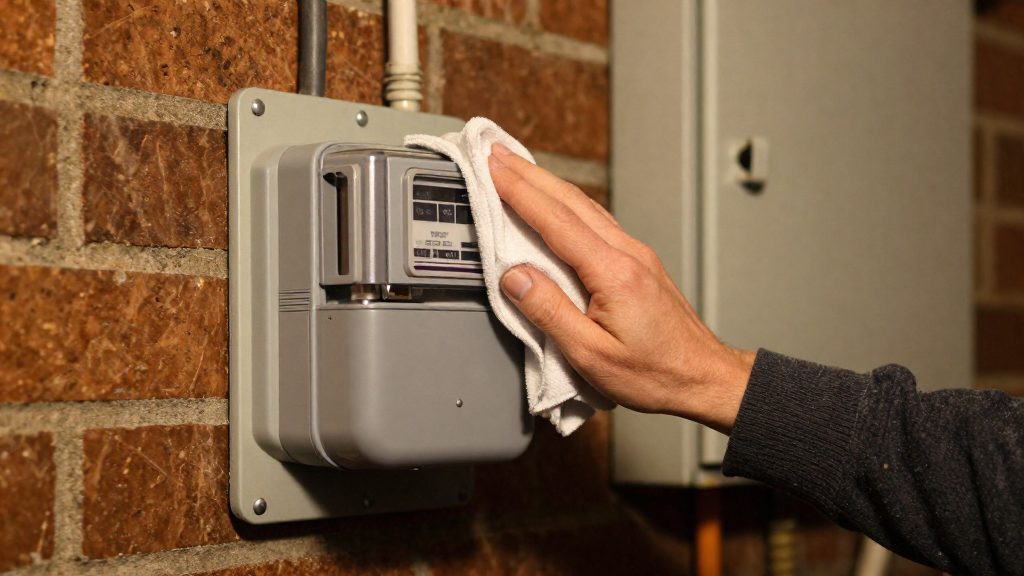
What the Hilo hub reads from the meter
The Hilo hub connects to the Hydro-Québec smart meter over Zigbee. It supports Zigbee 3.0 and Zigbee SEP 1.1b, the Smart Energy profile version used for meter communication.
Protocols and components
- Zigbee 3.0: the radio standard the hub supports for its wireless link.
- Zigbee SEP 1.1b: the Smart Energy profile version the hub supports, which defines how energy data is exchanged.
- Hilo app: displays the power demand the hub receives.
Connection status and app display
Unconfirmed reports
These points are not verified and should not be treated as established:
- Community integrations hydroqc2mqtt, pyhydroquebec and the Hilo HACS integration are reported to retrieve data from the Hydro-Québec account or the Hilo cloud rather than from the hub. They are not affiliated with Hydro-Québec.
How to see your consumption in the Espace client
The Espace client (Customer Space) on the Hydro-Québec website is a second way to check your consumption without the Hilo app. Per Hilo, the Customer Space lets you see your consumption the next day when real-time data is unavailable. Hydro-Québec’s own description of this view and its data frequency was not verified.
To check it:
- Sign in to your Hydro-Québec account through the Customer Space.
- Find the consumption or usage section. Menu labels can change, so follow the navigation on screen.
- Look up the previous day’s figures. According to Hilo, previous-day consumption can be viewed in the Customer Space when real-time data is unavailable.
| Route | Requires the Hilo app | Consumption timing without real-time data |
|---|---|---|
| Hilo app | Yes | Next day |
| Espace client | No | Next day |
Why is real-time data missing in the Hilo app?
Missing real-time data in the Hilo app can have several causes, including: the setup timeline, the meter type, and signal obstruction between the Hilo hub and the Hydro-Québec smart meter. The hub communicates with the meter over Zigbee 3.0 (and Zigbee SEP 1.1b), so anything that weakens that radio link delays or blocks the data.
Hub connection and data timelines
Hilo gives two timings: the hub can take up to 7 days to connect to the meter, and real-time data can take up to seven business days to appear after installation.
| Stage | Expected timing | Indicator on the hub |
|---|---|---|
| Hub connects to the Hydro-Québec smart meter | Up to 7 days after installation | Turns green once connected |
| Real-time power demand and consumption appear in the Hilo app | Up to seven business days after installation | Not applicable |
Real-time data is therefore not expected on the day of installation. If the indicator is not green, the connection is still pending. If it is green but no real-time data appears within seven business days, the meter type or a signal obstruction may be involved; contact Hilo support.
Meter type limits real-time availability
Check the meter model and number printed on the meter or on your Hydro-Québec bill, then compare them with Hilo’s current eligibility information.
Physical obstructions on the Zigbee link
For multi-unit buildings, the hub’s position relative to the meter matters more than in a single-family home.
Meters starting with A: Wi-Fi instead of Zigbee
If a Hydro-Québec meter was recently replaced and its number starts with A, the hub will not show real-time data yet. According to Hilo (2026), the new meter communicates over Wi-Fi instead of Zigbee, and this currently prevents real-time transmission to the Hilo hub.
| Meter number | Communication with the hub | Real-time data in the Hilo app |
|---|---|---|
| Starts with “A” (recently replaced) | Wi-Fi | Not yet available |
| Other meter types | Not specified by Hilo (Zigbee for the hub’s supported meters) | Available for most customers, depending on meter type |
The hub relies on Zigbee, a low-power wireless protocol built for short-range device communication. A Wi-Fi meter uses a different radio standard, so the hub cannot receive its readings in the same way until the meter’s communication is supported.
Hilo presents this as a current limitation, not a permanent one.
Can Home Assistant read Hydro-Québec data?
Officially, the documented ways to see Hydro-Québec meter data through Hilo are the Hilo app and the Hydro-Québec Customer Space.
Officially documented access
Hilo (2026) describes the following access points and timing:
| Data | Where to view | Timing |
|---|---|---|
| Real-time power demand | Hilo app | Can take up to seven business days to appear after installation; may be unavailable depending on meter type |
| Daily consumption | Hilo app or Hydro-Québec Customer Space | Available the next day, even without real-time data |
2021 community reports
Because these are user accounts, Hydro-Québec has not confirmed them, and they should be treated as hearsay.
Whether the hub exposes Zigbee data locally
The Hilo hub supports Zigbee 3.0 and Zigbee SEP 1.1b (Hilo, 2026), so it communicates with the meter over Zigbee. That radio link is the only local path the hardware suggests, but no local interface for Home Assistant is documented, so any local read remains an unverified community approach.
Conditions that block real-time data
- Setup requirements: High-speed internet, the Hilo app, a 120-V outlet and an Ethernet cable (Hilo, 2026).
Unofficial tools and their limits
Third-party tools for Hilo data (hydroqc2mqtt, pyhydroquebec and the Hilo HACS integration) are reported, without verification on an opened page, to pull data from the Hydro-Québec account or the Hilo cloud rather than from the meter, with data lagging by about a day. Their reliability is unverified: they are not affiliated with Hydro-Québec, and their access depends on account or cloud interfaces that may change.
| Approach | Data source | Verification status |
|---|---|---|
| Hilo app | Hilo, with real-time data where the meter type allows it | Confirmed by Hilo (2026) |
| Hilo app, next day | Consumption from the previous day | Confirmed by Hilo (2026) |
| hydroqc2mqtt | Hydro-Québec account or Hilo cloud, about one day behind | Not verified |
| pyhydroquebec | Hydro-Québec account or Hilo cloud, about one day behind | Not verified |
| Hilo HACS integration | Hydro-Québec account or Hilo cloud, about one day behind | Not verified |
Undocumented communication path
No local interface to the meter or hub is documented, so any tool reading the meter locally would rely on an undocumented path that could change without notice.
Firmware or hub changes
Access can break when the hardware in the chain changes. A hypothetical tool reading the meter locally over Zigbee could not work on a recently replaced Wi-Fi meter, even though the official app still shows next-day consumption.
Support and service risk
Changes that bypass the official setup can affect service and support. A non-standard hub, a modified installation or an unofficial integration may fall outside what Hilo or Hydro-Québec will troubleshoot.
Privacy and security points to check
Your meter data can be reached through three kinds of access: the Hilo app, your Hydro-Québec Customer Space, and any third-party tool. Each one needs its own check.
Review Hilo app account security settings
Because the Hilo app can show live household usage for compatible meters, protect the account behind it carefully.
- Review every security option the Hilo app offers on your account, and remove any device or user you no longer recognize.
- Use a password that is not shared with other services, and keep the Hilo login separate from the Hydro-Québec Customer Space login if you can.
- Log out on shared phones, tablets, and computers.
Limit third-party access to consumption data
Some community tools, including hydroqc2mqtt, pyhydroquebec, and the Hilo HACS integration, are described as pulling data from the Hydro-Québec account or the Hilo cloud. None of them is affiliated with Hydro-Québec. Connecting one means giving an outside party account credentials, so treat it as a real privacy decision.
| Access point | Data it exposes (per Hilo, 2026) | Check before granting access |
|---|---|---|
| Hilo app | Real-time power demand for most customers, depending on meter type; next-day consumption | Account security options, device list, shared-device logouts |
| Hydro-Québec Customer Space | Consumption the next day | Login credentials and who else knows them |
| Third-party tools | Data pulled from the Hydro-Québec account or Hilo cloud (unverified) | Publisher identity, what credentials are requested, and whether access can be revoked |
Check manufacturer instructions for data sharing options
Read the Hilo documentation and the in-app privacy text directly to see what is shared and with whom.
Account for the local radio link
The hub reads the meter over a local radio link, and that link is Zigbee for meters that are not newly replaced. Confirm which transmission path your meter uses before assuming a local link exists.