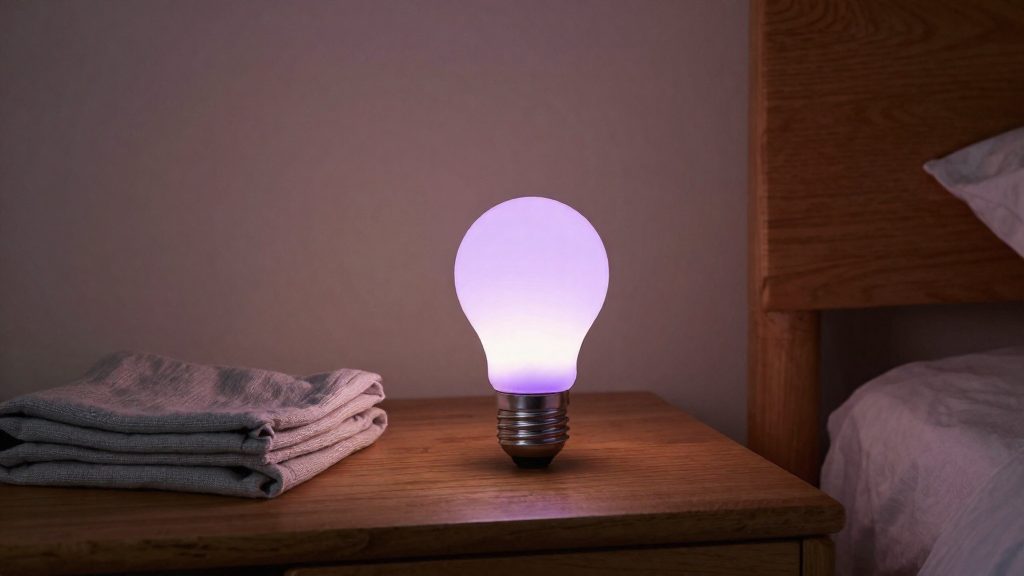
Colour-changing bulbs are the better choice when the goal is a specific mood, an accent colour or a themed scene in the bedroom. Tunable white bulbs only move along the white scale, which suits reading and steady task light. The choice depends on what the light is for and whether one bulb or the whole fixture needs to change.
Why choose colour-changing bulbs for a bedroom?
Colour versus tunable white in practice
Both bulb types adjust white light, but a colour-changing bulb also produces hues. In practice the difference shows up in the output range and in the scenes you can build.
| Factor | Colour-changing bulb | Tunable white bulb |
|---|---|---|
| Output range | Full colour range plus white shades | White shades only |
| Typical bedroom use | Mood, accent and themed lighting | Reading and steady task light |
| Scene options | Colour and white scenes | White-only scenes |
Colour bulbs such as the WiZ range can be grouped into moods and schedules from one app. According to WiZ (Signify) (2026), the WiZ app lets users set moods and lighting schedules for the whole household from one place. WiZ products also pair with major smart home ecosystems through the company’s partner programme.
Bedroom use cases: reading, mood and sleep
- Reading: Set a bedside bulb to a white shade rather than a colour. Coloured light changes how printed pages and screens look, which makes reading harder to judge.
- Mood: Colour works for relaxing evenings, guests or a themed look that a white-only bulb cannot produce.
- Sleep: No verified evidence in this guide shows that any colour or warm setting improves sleep. Treat sleep lighting as a personal preference, and check the manufacturer’s documentation for recommended settings.
Single-bulb versus fixture-wide lighting trade-offs
Choosing how many bulbs in a room change colour affects both the effect and the control options.
- Single bulb (bedside or table lamp): Changes one area only. It is easy to replace and lets you set a different mood for each lamp.
- Fixture-wide (ceiling fitting with several bulbs): Shifts the whole room at once. Mixed states across bulbs in the same fitting look uneven, so every bulb should run the same setting.
- Combined approach: Keep the ceiling fitting on tunable white for general light and use a colour bulb in a bedside lamp for mood.
Matter is an interoperability standard for connected devices, and lighting is one of its more than 30 device types. According to the Connectivity Standards Alliance (2026), Matter onboarding is authenticated, communication is encrypted and devices receive over-the-air updates. If you run several bedroom bulbs on Matter, keep their firmware current through the app that manages them.
Wi-Fi, Bluetooth, Zigbee or Matter: which bulb type?
The radio protocol a bulb uses determines its range, its power draw and how it reaches your phone or voice assistant. Wi-Fi bulbs join your home network directly, Bluetooth bulbs connect to a nearby phone, Zigbee and Thread bulbs form low-power mesh networks, and Matter is an interoperability standard that defines how devices connect and talk to each other across these transports. No range or wattage figures are given here because the verified sources do not publish them. Check each product’s specification sheet before comparing.
Range and power trade-offs
| Protocol | Range behaviour | Power use | Practical effect on bulb choice |
|---|---|---|---|
| Wi-Fi | Reaches wherever your router’s signal reaches | Generally higher, since the bulb stays connected to the router | Direct app control with no extra bridge; many bulbs on one network can add load to Wi-Fi |
| Bluetooth | Short, direct link to a phone within radio range | Generally low | Suited to one room; remote control away from home is limited |
| Zigbee | Mesh, where mains-powered devices relay signals to each other | Generally low | Better coverage across a larger home, provided enough mains-powered devices sit in the mesh |
| Thread | IP-based mesh, where devices relay traffic for each other | Generally low | Similar mesh benefits to Zigbee, with IP-based addressing |
Matter’s authenticated onboarding, encryption and updates
Matter defines three security features that matter for bulbs in a bedroom, according to the Connectivity Standards Alliance (2026):
- Onboarding is authenticated.
- Communication is encrypted.
- Devices receive over-the-air updates.
Controlling Matter bulbs from any compatible ecosystem
A Matter colour bulb can be controlled by any Matter-compatible ecosystem, not only by its manufacturer’s app.
Do you need a hub?
Most smart bulbs for bedroom ambiance need no separate hub if they connect over Wi-Fi, but Matter bulbs that use Thread need a Thread border router, and Zigbee bulbs (including Philips Hue) need a bridge or coordinator. Check the protocol on the product page before you buy, because the protocol decides whether you need extra hardware.
Wi-Fi bulbs: no hub, app-first control
Wi-Fi bulbs connect directly to your home network and are controlled from a phone app. This setup avoids extra hardware, but it has limits:
- App-first control: Schedules and scenes live in the manufacturer’s app. Voice control and integration with other platforms depend on the brand’s partner support.
- Ecosystem links: Confirm that your specific bulb model and voice assistant are listed as supported before you buy.
Matter bulbs: Wi-Fi versus Thread
A Matter bulb’s transport decides its hub needs:
| Matter transport | Extra hardware needed | Notes |
|---|---|---|
| Wi-Fi | None beyond your router | Works with the bulb’s own app and a Matter controller |
| Thread | A Thread border router | Without one, the bulb cannot join the Thread network |
For Thread bulbs, the border router is a separate device, typically built into a hub or a compatible smart speaker. Verify the border router support in your ecosystem’s documentation before purchase.
Zigbee, Hue and Bluetooth mesh: bridges
- Zigbee: Zigbee bulbs require a coordinator, usually a hub or bridge, to communicate with the network and your apps.
- Philips Hue: Hue bulbs are controlled through the Hue Bridge. Hue’s starter kits bundle the bridge with the bulbs.
- Bluetooth mesh: Bluetooth mesh bulbs can run locally from a phone within Bluetooth reach. Remote control and automations generally require a gateway. Check the manufacturer’s documentation for the specific model.
Warm whites and soft colours for evenings
For evening wind-down, the goal is a low, warm light that is dim enough not to compete with the room’s other sources. The sources available for this section give no verified kelvin values, brightness percentages or preset recipes, so the steps below describe method rather than specific figures. Exact ranges depend on the model, so check the bulb’s own specifications.
Setting colour temperature
- Read the colour temperature range on the packaging or in the manufacturer’s specification sheet before you buy, because the range varies by model.
- In the app, choose the warmest white setting the bulb offers for the evening period.
- Reserve cooler white settings for daytime use.
Stepwise dimming after sunset
- Lower brightness in several steps instead of switching from full brightness straight to off, using the app’s brightness control.
- Set the bedroom bulb to be the dimmest light in your evening sequence so it becomes the main source as the night progresses.
- Judge each level from the spot where you actually sit or lie down, not from the bulb itself.
Soft colour palettes and mood presets
- Choose a mood with warm, low-saturation colours rather than strong primaries.
Wake-up and bedtime routines
Most colour-changing bulbs can run time-based routines from their companion app. A schedule can switch lights on or off at a set time, and some apps can also ramp brightness gradually. Check the manufacturer’s instructions to confirm which behaviour your model supports before planning a sunrise or bedtime sequence.
Three routine types cover most bedroom use:
| Routine | Trigger | What to configure |
|---|---|---|
| Sunrise simulation | Scheduled time before the alarm | Start brightness, end brightness, and fade duration, if the app offers a gradual ramp |
| Bedtime fade-out | Scheduled time or manual scene | Gradual dimming to off, or a timer that switches the lights off after a set interval |
| Night-time path | Motion sensor or occupancy trigger | Low brightness on the route, with automatic return to off after a short delay |
Sunrise simulation works best as a slow brightness ramp that ends at the time you want to wake. If your app only offers a timed on/off switch, you can approximate the effect by setting a dim scene to start earlier and a brighter scene at wake time, using two schedule entries.
Bedtime shutdown should end with the lights off rather than at a low level, so the sequence does not leave the room lit. Use the app’s timer or a final scheduled “off” entry.
Motion-triggered night paths depend on a separate motion or occupancy sensor linked to the bulbs through an automation. The bulbs only respond to the trigger; the sensor type, its range and its pairing method are set by that device’s own documentation. Keep the path at low brightness and set an auto-off delay so the lights do not stay on after you leave the area.
Which brands are sold in Canada?
Three models are worth checking for colour-changing bedroom bulbs in Canada: the Globe Electric Wi-Fi RGB tunable white bulb, the WiZ colour bulb, and the TP-Link Tapo L535E. Their availability in Canada is not confirmed here. Globe Electric is described as a Canadian brand. WiZ is reported to work over Wi-Fi without a hub, and the Tapo L535E is reported in unverified roundups as a Matter-compatible bulb. None of these points is confirmed on a manufacturer page. The figures below are reported values that still need confirmation on each manufacturer’s page or the retailer listing before purchase.
Globe Electric RGB tunable white Wi-Fi bulb
- Brightness: about 800 lm (reported, unconfirmed)
- Price: about CAD 24.99 (reported, unconfirmed)
- Voice assistants: Amazon Alexa, Google Assistant and Siri (reported, unconfirmed)
WiZ color bulb
- Price: about CAD 21.98 at Home Depot Canada (reported, retailer page not verified)
- Connectivity: Wi-Fi with no hub (reported, not confirmed by the manufacturer)
TP-Link Tapo L535E
- Matter option: reported as Matter-compatible in unverified roundups; confirm on the manufacturer’s page
- Price and brightness: not confirmed for Canada in this comparison
If the Tapo L535E does support Matter, as unverified roundups report, using it depends on whether your controller supports Matter too.
How to avoid setup problems
Pairing failures often come from three causes: the bulb cannot see a compatible network, the Matter commissioning step was interrupted, or the bulb has leftover data from an earlier setup. Check these in order before replacing the bulb.
Confirm 2.4 GHz network compatibility
Many smart bulbs reportedly connect only to 2.4 GHz Wi-Fi, though this is not confirmed here by a manufacturer page, so check your model’s specification. If a bulb does not appear in the app, check which Wi-Fi band the phone is on. Before pairing:
- Check the Wi-Fi specification on the manufacturer’s product page or packaging. Do not assume support from the retailer listing.
- Connect the phone to the 2.4 GHz network during setup, since many apps read the network from the phone.
- If the router offers a separate network name for the 2.4 GHz band, use it for the bulb.
Recover failed Matter commissioning
Matter onboarding uses a setup code for the specific device. An incorrect or partially entered code is a common reason for rejection.
- Read the setup code from the bulb’s label or the printed manual, and enter it exactly, including any hyphens or spacing the code uses.
- If the commissioning stops partway, remove any partial device entry from the app before retrying. A leftover entry can block the new attempt.
- Factory reset the bulb, then restart the pairing process.
Update firmware and reset correctly
Install pending updates from the app before building automations, so that settings are not later changed by a firmware change. The reset procedure varies by manufacturer, so follow the instructions for your specific model.
| Symptom | Likely cause | Action |
|---|---|---|
| Bulb not found during setup | Bulb not in pairing mode, or phone on an incompatible band | Reset the bulb, confirm the phone is on the 2.4 GHz network |
| Setup code rejected | Mistyped code or code from a different device | Re-enter the code from the label or manual |
| Setup stalls partway | Partial device entry remains in the app | Remove the entry, factory reset, retry |
| Bulb paired to another account or hub | Previous owner’s configuration still stored | Factory reset before adding to the new system |
What about privacy and voice control?
Privacy for bedroom bulbs depends on three layers: the vendor cloud account, the voice assistant link, and the list of people who can open the app. These devices carry little sensitive data on their own, but schedules and routines still reveal when you are awake, away, or asleep.
Cloud account data and local control options
Settings and schedules are tied to an account, and anyone with access to that account can change them.
Whether a bulb keeps working without the vendor’s servers depends on the model and its firmware, so check the manual before buying. The main control paths differ as follows:
| Control path | Where commands travel | What to verify |
|---|---|---|
| Vendor app over the internet | Vendor servers, then the bulb | Privacy policy, data retention terms, two-factor authentication options |
| Local hub or bridge | Home network to the hub | Whether the hub’s documentation says internet access is needed for basic control |
Practical steps:
- Use a unique password for the bulb account and enable two-factor authentication if the app offers it.
- Read the manufacturer’s privacy policy to see what usage data is collected and how long it is kept.
- Confirm local control claims in the official documentation, not in marketing copy.
Voice assistant account linking and permission scopes
Linking a bulb to a voice assistant means the assistant’s platform receives authorisation to send device commands through the vendor’s account.
When linking, read the list of permissions the platform requests. Grant only what the bedroom routines need, such as turning lights on or off and setting colour. Revoke access from the assistant’s companion app if you stop using the bulbs, because removing the bulb from the app alone may leave the link active on the assistant side.
Shared household accounts and guest access risks
A single login shared across phones gives every user the same control over moods and schedules. Guests who connect to the household account can also alter bedroom lighting remotely.